Ad-free streaming, in your pocket
The official TBCPL app: every site on the list inside a protected browser that blocks ads, pop-ups, sneaky redirects and 18+ content — with real fullscreen video.
Why use the app?
Ad blocker
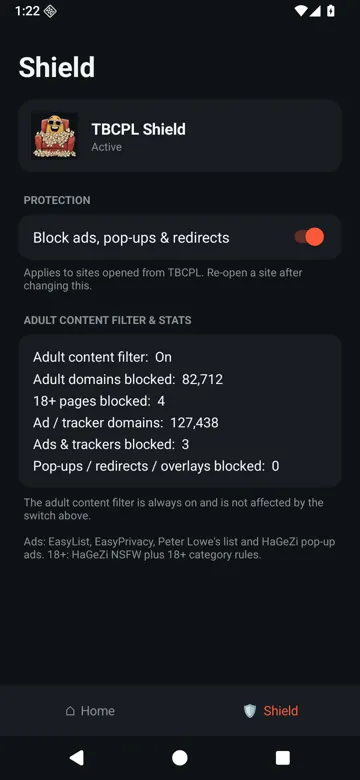
127,000+ ad & tracker domains blocked at the network level, so streaming pages load faster and cleaner.
Pop-up & redirect blocker
Kills pop-unders, new-tab ads, fake overlays and redirects you didn't tap — the #1 annoyance on free streaming sites.
Always-on 18+ filter
82,000+ adult domains and 18+ categories on movie/anime sites are blocked automatically. Safe for the whole family.
True fullscreen video
Players go edge-to-edge in landscape with one tap, and long videos switch to fullscreen automatically.
TBCPL built in
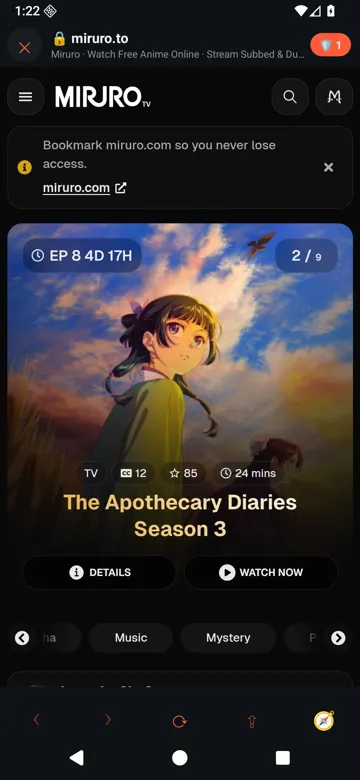
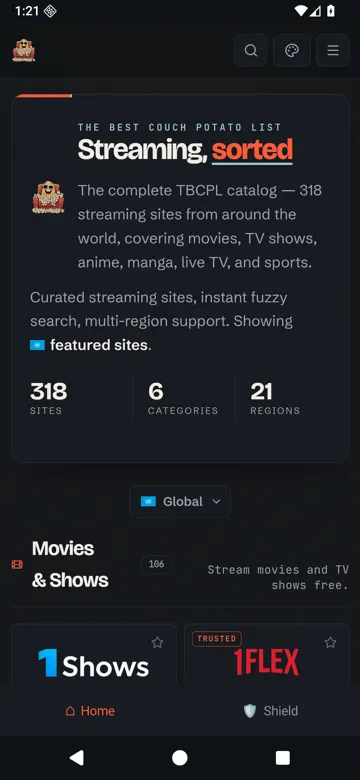
The full TBCPL catalog on the Home tab — 300+ curated sites, open any of them in the protected in-app browser.
Tiny & private
Just 2.3 MB. No account, no sign-up, no paywall.
Screenshots
How to install the APK
- Tap “Download APK” on your Android phone. If Chrome warns that the file may be harmful, tap Download anyway.
- Open the downloaded file (TBCPL-1.0.1.apk) from the notification or your Downloads folder.
- Allow unknown apps: when asked, tap Settings → Allow from this source for your browser, then go back.
- Tap Install. If Google Play Protect says “unrecognized app”, tap More details → Install anyway. This appears for every app not yet on Google Play.
- Open TBCPL and start streaming — ad and pop-up blocking is on by default.
App details
| Version | 1.0.1 (build 2) |
| File size | 2.3 MB (2,436,036 bytes) |
| Released | 16 November 2026 |
| Requires | Android 7.0 (Nougat) or newer |
| Package | com.saleemsial.tbcpl |
| SHA-256 | b3a713bfc29e5be7d23c9e9cdb26a4907d5b383e7af2bef0597dd7e7d09945a9 |
| Price | Free |
FAQ
Is the TBCPL app free?
Yes. The APK is completely free, with no account, no subscription and no in-app purchases.
Is the APK safe?
It is signed with our own release key and contains no trackers beyond optional anonymous crash/usage stats. Always download it only from tbcplus.com/app/ and compare the SHA-256 shown on this page.
Why does Android warn me when installing?
The app is not on Google Play yet, so Android asks you to allow installs from your browser. Play Protect may show “unrecognized app” — tap More details → Install anyway.
Can I turn off the 18+ filter?
No. The 18+ filter is always on. The ad and pop-up blocker can be toggled from the Shield tab.
Is there an iPhone (iOS) version?
Not yet. The iPhone app is in development; for now please use tbcplus.com in Safari.
Which Android versions are supported?
Android 7.0 (Nougat) and newer, on phones and tablets.